Building on MCP
Semi-headless: designing a product whose first user is an agent
A headless SaaS CMS is hosted content with an API and no front end of its own. Semi-headless goes one step further: the API is built for an agent to operate, and the screens shrink to the few moments a human genuinely has to look. Here is the pattern, and the nightly mess that taught us why meaning has to live in the data.
You already run a product with two kinds of user. One clicks. The other calls your API.
A headless SaaS CMS, such as Contentful or Sanity, is the version where the vendor gave up on the clicking end: it stores your content, hosts it, and hands it out through an API, and the website or app that shows it is yours to build. Semi-headless is the next step. The API is designed for an agent to operate, and the screens shrink to the handful of moments a human genuinely needs to look.
What is a headless SaaS CMS?
A headless CMS separates where content is stored from where it is shown. “Headless” means no built-in front end, the “head”. “SaaS” means the vendor runs it for you.
Contentful, founded in Berlin in 2013, is the usual example. You model content types, editors fill them in, and your front end fetches them through its Content Delivery API. Sanity does the same with its own query language, GROQ. Strapi offers an open-source version you can host yourself or rent as Strapi Cloud.
The promise is one content store and any number of front ends.
The catch everyone finds is that editors still need somewhere to click. So most headless products ship a perfectly normal dashboard for them anyway: Sanity Studio, Contentful’s web app. Headless was always slightly headed.
What does semi-headless mean?
Semi-headless keeps the separation and changes who the API is for.
A headless API is written for a developer. They read the docs once, write code against them, and the code then runs the same way forever.
A semi-headless product is written for an agent. It reads your descriptions every single time, decides what to call, and is exactly as good as what you told it.
Since Anthropic published the Model Context Protocol in November 2024 (modelcontextprotocol.io), that agent-facing layer has a standard shape: tools with names, descriptions and typed inputs that Claude, ChatGPT or any MCP host can call. MCP Apps, the protocol’s first official extension (26/01/2026), lets a tool return a small piece of interface inside the conversation.
That is the “semi”. The screen turns up when a human needs to see something, and not otherwise.
| Dashboard SaaS | Headless SaaS | Semi-headless | |
|---|---|---|---|
| First user | A person clicking | A developer’s code | An agent |
| Main interface | Screens | API | Tools an agent chooses between |
| Where meaning lives | In the person’s head | In the docs | In the data and the tool descriptions |
| When a human sees a screen | Always | In the editor | When a decision or approval needs one |
What goes wrong when an agent is the first user?
The agent believes exactly what the data says. Nothing more.
We run our own company through a ticket tracker that is mostly read and written by agents. On 11/10/2026 we moved seven scheduled jobs off cloud routines and onto our own machine.
Two of those jobs, a pull-request sweep and a channel watchdog, file tickets when something needs doing: a red build, a post stuck in the social queue. A third, the ticket groomer, tidies the queue every night.
The groomer looked at those tickets and saw machine status. Automated title, automated body, filed by a script. To a model, they looked exactly like the noise it existed to clear.
So it cancelled them. Every night.
Two agents filed the work by day. One agent cancelled it by night. Asked, all three would have reported a productive shift.
Nobody complained, because the only users of those tickets were the three agents, and all three thought things were going well. We found it only because moving the jobs meant reading what each one actually did (operator#1352).
A person would not have made that mistake. They see “PR red for two days” and know it is real work, because they know who filed it and why. That context lived in our heads. The groomer had the ticket.
This is the pattern to look for in your own product: meaning a human gets from context, and an agent cannot get at all. Who created this. Whether it is still wanted. Whether “automated” means “ignore” or “act”.
You have this somewhere, I would bet on it. A status that says “open” for three different reasons, which your support team tells apart by reading the notes.
How do you design a product an agent can operate?
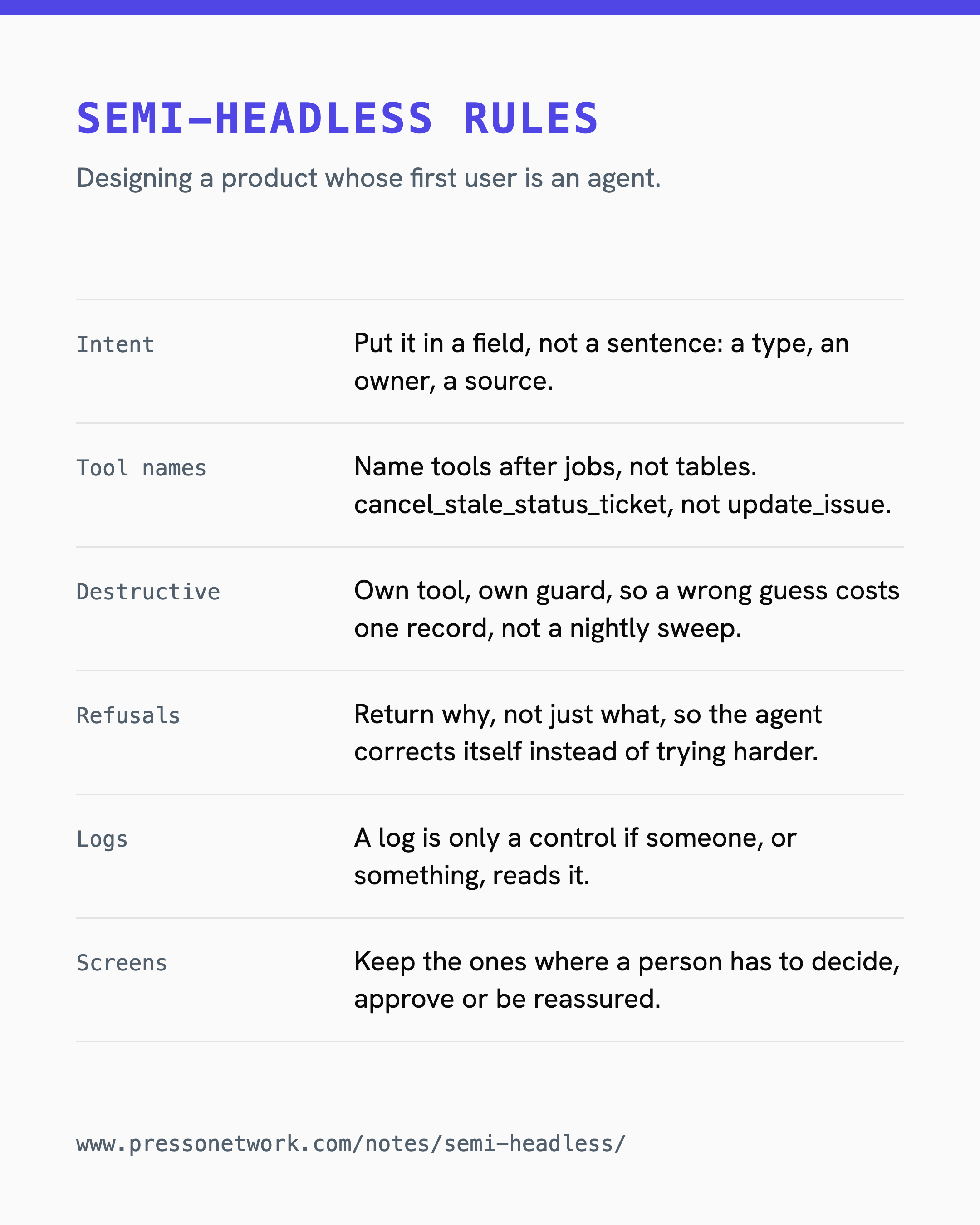
Five rules, roughly in the order they bite.
- Put intent in a field, not a sentence. If a record is real work, say so in data: a type, an owner, a source. Our fix was exactly this. Those two kinds of ticket are now off limits to the groomer, written into the script that applies its decisions rather than left to the model’s judgement.
- Name tools after jobs, not tables. An agent picks a tool by reading its description.
cancel_stale_status_tickettells it what it may do.update_issuetells it it may do anything. - Make destructive actions narrow. Cancel, refund, delete: each gets its own tool and its own guard, so a wrong guess costs one record, not a nightly sweep.
- Return why, not just what. When a tool refuses, put the reason in the response, so the agent can correct itself instead of trying again harder.
- Keep a log a human can skim. Every one of the groomer’s cancellations was on record. Nobody read the record. A log is only a control if someone, or something, reads it.
What stays human in a semi-headless product?
The screens you keep are the ones where a person has to decide, approve or be reassured. A refund over a threshold. A post going out under someone’s name. A chart that answers “is this working”.
With MCP Apps, those screens can render inside the conversation the agent is already having. The human sees the screen at the moment it matters, and nowhere else.
Everything else, the agent can do through the tools.
If you are designing for this, start by writing down which screens belong on that first list. It is a much shorter list than your sidebar.